
How to generate video with AI step by step (and why it works for some people and not for others)
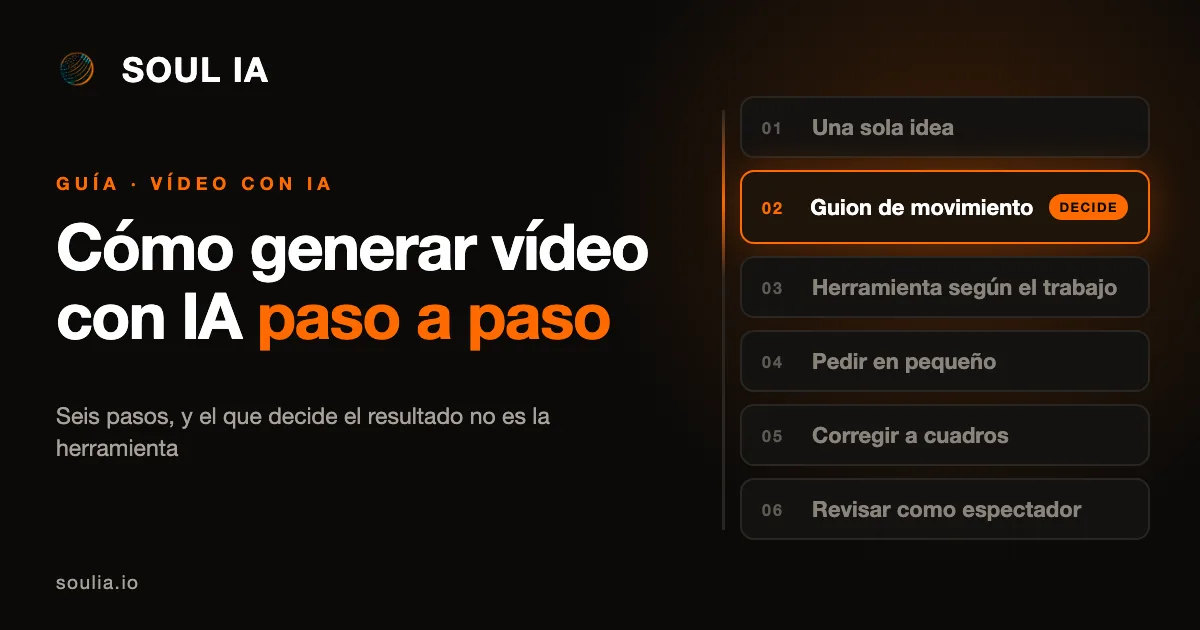
Short answer: generating a video with AI takes six steps, and the one that matters most is not the tool, it is the second one, the motion script. Whoever skips it asks for "a nice video" and gets something correct and soulless.
Verified November 2026. Claude Motion source: Anthropic's official help centre.
What types of AI video exist: generated or animated with code
Before you start, it helps to know there are two types of AI video:
- Generated video: the AI invents moving images, such as realistic people or scenes. It works for clips, not for explaining something precisely.
- Code animated video: the AI writes the animation instructions (text, charts, shapes, images) and they are turned into video. This is what tools such as Claude Motion use, Anthropic's feature in beta for the Team and Enterprise plans, which does not use a video generation model and exports to MP4. It is the type that works for explaining a service, a process or a product, because you can change a word, a number or a timing without redoing everything.
This guide is about the second type, which is the one a company almost always needs.
How to generate a video with AI in six steps
Six steps, and one decides the result
1. One single idea
Before opening any tool, write in one sentence what you want the viewer to understand. If you need two sentences, that is two videos.
2. The motion script
What appears, in what order, how long each thing lasts, what moves and what stays still. It is the step almost everyone skips.
3. The tool for the job
For realistic clips, a video generator. For explainers, animated charts or product walkthroughs, a tool that animates with code.
4. Ask in small pieces
One scene at a time, stating the duration, who it is for and what the main message is.
5. Correct frame by frame
Scene by scene, with specific changes: a piece of text, a number, a timing. This is where a video goes from correct to good.
6. Review as a viewer
With no sound, on a phone and at half speed. Then export in the format where it will be watched.
With the order and the pauses decided, the tool only executes.
1. One single idea
Before opening any tool, write in one sentence what you want the viewer to understand. If you need two sentences, that is two videos.
2. The motion script
It is the step almost everyone skips and the one that decides the result. It is not the text of the video: it is deciding what appears, in what order, how long each thing lasts, what moves and what stays still. A video where everything moves at once is tiring, and one where nothing stands out is not remembered.
3. Choose the tool for the job
For realistic clips, a video generator. For explainers, animated charts or product walkthroughs, a tool that animates with code. Choosing the other way round is the most common cause of weak results.
Which type of AI video you need
A tool that animates with code is the right tool
The AI writes the animation instructions (text, charts, shapes, images) and they are turned into video. You can change a word, a number or a timing without redoing everything.
Choosing the other way round is the most common cause of weak results.
4. Ask in small pieces
One scene at a time, stating the duration, who it is for and what the main message is. Asking for the whole video in one go is the fastest way to get something generic.
5. Correct frame by frame
Review scene by scene and ask for specific changes: a piece of text, a number, a timing. With code animation this is cheap, and it is where a video goes from correct to good.
6. Review as a viewer
Watch it with no sound, on a phone and at half speed. If it cannot be understood that way, it cannot be understood. Then export in the format where it will be watched: horizontal for the web and presentations, vertical for social media.
Why AI video works for some people and not for others
Almost everything goes wrong in step 2. Someone who does not know how writes "make me a video of my company" and gets a slideshow with music. Someone who knows arrives with the order, the pace and the pauses already decided, and the tool only executes. That is why the same tool gives such different results.
| Whoever skips step 2 | Whoever arrives with a motion script | |
|---|---|---|
| What they ask for | "Make me a video of my company" | The order, the pace and the pauses already decided |
| What they get | A slideshow with music: something correct and soulless | What they asked for: the tool only executes |
What does not fit in a guide
How we write the motion script, the prompts we use scene by scene, the review checklist we go through before calling a video done, and how we connect it to your company's content. That part depends on what you want to say and to whom, so we discuss it with your case in front of us.
Generative AI video for businesses →
Frequently asked questions about generating video with AI
How many steps does it take to generate a video with AI?
Six: one single idea, the motion script, choosing the tool for the job, asking in small pieces, correcting frame by frame and reviewing as a viewer. The one that decides the result is the second, the motion script.
What is the difference between a generated video and a code animated video?
In a generated video the AI invents moving images, such as realistic people or scenes, and it works for clips. In a code animated video the AI writes the animation instructions and they are turned into video, and it works for explaining a service, a process or a product.
Does Claude Motion generate realistic video?
No. According to Anthropic's official help centre, it does not use a video generation model: it animates text, charts, shapes and images with code.
Do you need to know how to code?
No. In these tools you ask in plain language and the AI writes the code.
Which plan do you need?
Claude Motion is in beta on Claude's Team and Enterprise plans, and turned on by default on Team. The conditions may change while it is still in beta.
If you want to see it applied to your case
Tell us what video you need and we will tell you how we would build it and which part you can do yourself.
Written by
Jorge Marín Pérez · Founder of Soul IA
I help SMEs across Spain automate their customer service and processes with AI, from Málaga. What I write here comes from what we build every week for real businesses.
Want to know what you could automate in your business?
Talk to Soul IA